
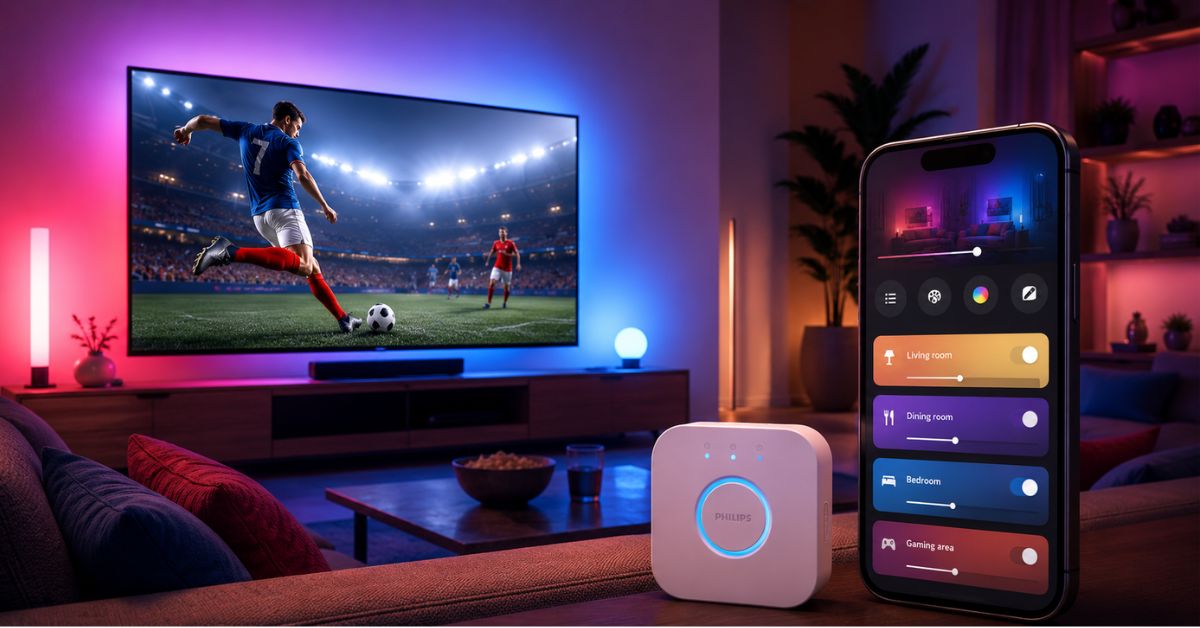
Philips Hue 5.69 Rolling Out in 2026 has started rolling out a new app update in 2026, and this one is important for users who use smart lights for entertainment, football matches, and full-home lighting control. The latest Philips Hue 5.69 update brings Sports Live for everyone and adds a new Bridge group on the Home dashboard.
This update will be especially appreciated by users who want their smart lights to react during live sports. It also simplifies management of all devices and automations connected to one Hue Bridge from one place. Philips Hue lights with Android phones, iPhones, smart TVs or voice assistants will get a more immersive smart home experience for Indian users with this update.
What Happened Philips Hue 5.69 Rolling Out in 2026?
The Philips Hue 5.69 Rolling Out in 2026 app has received a new update under version 5.69. The update is rolling out through app stores, including Google Play and Apple App Store. The main highlight is Sports Live, a feature that can make compatible Hue lights react to live match moments.
The update also adds a new Bridge group to the Home dashboard. This group contains all devices and automations that are connected to a Bridge. With the edit option users can also make scenes for the whole Bridge and set group visibility.
That’s also in the official app-store notes, which say you can now preview a scene from the Scene Gallery and edit it directly. This might be a minor change but for regular Hue users it makes scene control faster and more flexible.
Key Details of Philips Hue 5.69 Update
The Philips Hue 5.69 update focuses on three main areas: live sports effects, better Bridge-level control, and easier scene editing.
Sports Live is the biggest feature in this update. It is made for people who watch football or other supported live matches at home and want their lights to react with the action. When a match starts, when a goal is scored, or when a yellow or red card is shown, compatible Hue lights can show matching effects.
The new Bridge group is also useful for people who have many lights, rooms, zones, sensors, or automations connected to one Hue Bridge. Instead of managing everything separately, the new group makes the full Bridge setup easier to see and control.
The scene editing change is handy for people who often try scenes from the Scene Gallery. Now users can edit scenes while previewing them, rather than having to go through more steps after applying them.
What Is Sports Live in Philips Hue?
Sports Live is a smart lighting feature made to bring a stadium-like feeling into your room. It uses match events to trigger lighting effects on compatible Philips Hue lights.
For example, your lights can blink green when the match kicks off, display team colors after a goal, flash yellow for a yellow card, and display red effects for a red card. At the end of a match, lights can also display a longer victory animation in the colors of the winning team.
To use Sports Live you’ll need a Hue Bridge or Hue Bridge Pro and at least one color capable Hue light in the room or zone of your choice. The white-only Hue lights can still be in the room but won’t be able to display the dynamic color effects.
How to Set Up Sports Live
Users can set up Sports Live from the Sync tab inside the Philips Hue app. New users can open the Sync tab, tap Get Started, and choose Sports Live – Championship 2026.
Users who already use Hue Sync or other entertainment features can open the Sync tab, tap the What button in the bottom-left corner, press the plus button, and select Sports Live – Championship 2026.
During setup, the app asks users to choose their favorite team, select the room or zone where the effect should work, and pick a match scene. The favorite team selection is optional, but it helps the app suggest matches more easily.
New Bridge Group: Why It Matters
The new Bridge group is a practical update for users who have a bigger Philips Hue setup. Many smart home users have lights in different rooms, separate scenes, sensors, switches, and automations. Managing all of this can become confusing over time.
With the new Bridge group, Philips Hue gives users one place to manage all devices and automations linked to a Bridge. Users can create scenes for the full Bridge, hide groups they do not want to see, and reorder groups based on their preference.
This is useful for homes where Hue lights are installed in the living room, bedroom, kitchen, gaming room, and outdoor area. It gives a cleaner dashboard and better control.
Scene Editing Gets Easier
Another useful change in Philips Hue 5.69 is the ability to edit a scene while previewing it from the Scene Gallery. Earlier, users often had to apply a scene first and then adjust it separately.
Now, if a scene looks good but needs small changes in brightness, color, or mood, users can edit it more naturally during preview. This makes the experience smoother, especially for people who like to test many scenes before saving the final one.
Background: Philips Hue and Smart Lighting
Philips Hue is one of the most popular smart lighting systems in the world. It allows users to control lights from a phone, create rooms and zones, set automations, sync lights with media, and connect lights with smart home platforms.
In India, smart lighting is becoming more popular among people who use smart TVs, gaming setups, home theatres, and voice assistants like Google Assistant and Alexa. Philips Hue is a premium option in this category, so updates like 5.69 matter to users who already have Hue products or are planning to build a smart home setup.
The Hue app works on Android and iOS. Some features need a Hue Bridge, while basic control may depend on the type of Hue device and setup. Sports Live is one of the features that needs a Bridge or Bridge Pro.
Why This Update Matters
The Philips Hue 5.69 update matters because it shows how smart lighting is moving beyond simple on and off control. Smart lights are now becoming part of entertainment, sports viewing, gaming, and home automation.
For football fans, Sports Live can make match nights more exciting. Instead of only watching the screen, the whole room can react with the game. During big matches, this can create a more emotional viewing experience at home.
For smart home users, the new Bridge group can save time. It helps users manage their full Hue system in a cleaner way. This is useful for people who have many devices and automations.
For casual users, scene editing makes the app easier to use. It reduces steps and helps users create the right lighting mood faster.
Impact in India
The update can be useful for Indian users who already own Philips Hue lights, especially those who use them with smart TVs, gaming setups, or home theatre rooms. Football has a strong fan base in many parts of India, including Kerala, West Bengal, Goa, North East India, and major metro cities. Sports Live can make live match viewing more interesting for these users.
The update also comes at a time when smart home products are slowly growing in India. More users are buying smart speakers, smart bulbs, connected appliances, and app-controlled devices. A feature like Sports Live gives users another reason to consider premium smart lighting products.
However, Indian users should check device compatibility before expecting all features to work. Sports Live needs a Hue Bridge or Hue Bridge Pro and at least one color-capable Hue light. Users should also keep the app updated and log in to their Hue account for cloud-based live effects.
Important Things Users Should Know
Sports Live uses match data to trigger effects, so the experience may not always be perfect. If a live stream has delay, the lighting effect may appear slightly early or late. The Hue app allows users to adjust delay while a match is in progress.
The feature also uses flickering light effects. People who are sensitive to flashing lights or have photosensitive epilepsy should be careful and stop using the feature if they feel uncomfortable.
Sports Live may create temporary scenes during a match. These scenes are made automatically and removed after the match ends. Users should avoid deleting or editing those temporary scenes while the feature is active.
What Next in Future ?
Philips Hue is expected to keep improving its app with more smart home and entertainment features. The 5.69 update shows a clear focus on live sports and easier control.
In the coming weeks, users may see wider rollout across regions and devices. Some users may receive the update earlier than others depending on their phone, operating system, app-store rollout, and regional availability.
Indian users should update the Philips Hue app from Google Play or Apple App Store and check the Sync tab to see whether Sports Live is visible. Users should also update their Hue Bridge firmware when available.
Official Updates So Far
The official app-store notes confirm two major points: Sports Live is now available for everyone, and a new Bridge group has been added to the Home dashboard. The app-store listing also mentions the ability to create scenes for the entire Bridge and hide or reorder groups.
Read More : Realme P4R 5G for Mid-Segment Buyers 2026
The official Philips Hue support page explains how Sports Live works, how to activate it, what hardware is needed, and why delay settings may be required for live TV or streaming.
At the moment, there is no separate India-only feature announcement for Philips Hue 5.69. The update appears to be part of the global app rollout, with availability depending on app-store rollout and device compatibility.
FAQs (Philips Hue 5.69 Rolling Out in 2026)
What is Philips Hue 5.69?
Philips Hue 5.69 is the latest app update in 2026. It adds Sports Live, a new Bridge group on the Home dashboard, and easier scene editing from the Scene Gallery.
Is Sports Live available in India?
The Philips Hue app and support pages are available for India, and the update is rolling out through app stores. Availability may still depend on your app version, device, Hue account, and compatible Hue setup.
What do I need to use Sports Live?
You need a Hue Bridge or Hue Bridge Pro and at least one color-capable Philips Hue light in the selected room or zone.
Do white Philips Hue lights work with Sports Live?
White lights can stay in the room, but Sports Live effects need color-capable Hue lights. White-only lights will not show the dynamic color effects.
Can Sports Live work with Hue Sync?
Yes, but Hue Sync can take priority for lights already used in a Sync Entertainment Area. Users may need to select different lights for Sports Live and Hue Sync for the best experience.
Should Indian users update the Philips Hue app now?
Yes, users who already use Philips Hue should update the app to get the latest features, bug fixes, and control options. After updating, they can check the Sync tab and Home dashboard for new features.
